


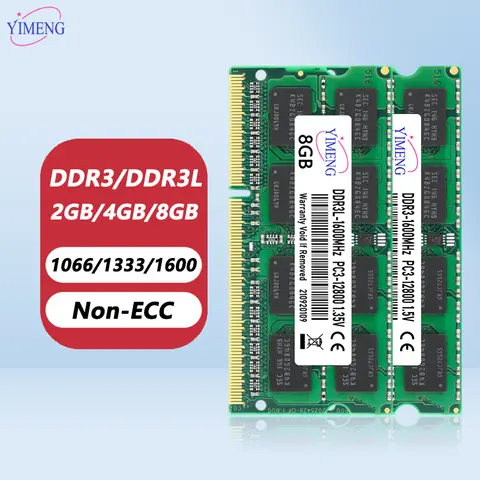
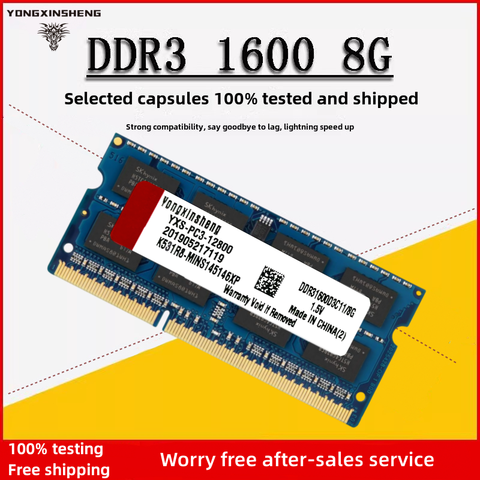

Results for 2gb ddr3 ram

Looking for reliable 2GB DDR3 RAM modules to upgrade your laptop or desktop? You're in the right place. This guide delivers precise, expert-backed insights to help you choose the perfect memory upgrade for optimal performance, compatibility, and long-term reliability—whether you're enhancing an older system or building a budget-friendly setup.
The search term 2gb ddr3 ram reflects a clear intent: users are seeking affordable, functional memory modules compatible with legacy systems. Many older laptops and desktops still rely on DDR3 technology, and 2GB remains a viable entry-level option for basic tasks like web browsing, office work, and light multimedia. However, selecting the right module requires attention to key technical specifications to avoid compatibility issues and performance bottlenecks.
DDR3 RAM
Double Data Rate 3 Synchronous Dynamic Random-Access Memory, a widely used memory standard from the early 2010s. It operates at lower voltages (1.5V or 1.35V for DDR3L) and supports frequencies up to 1866MHz. DDR3 is not compatible with DDR4 or DDR2 slots.
SODIMM
Small Outline Dual In-Line Memory Module—commonly used in laptops and compact desktops. Unlike full-size DIMMs, SODIMMs are smaller and designed for space-constrained systems.
DDR3L (Low Voltage)
A version of DDR3 that runs at 1.35V, reducing power consumption and heat. Often used in laptops to extend battery life. Ensure your system supports DDR3L if you're using low-voltage modules.

When upgrading, follow these steps to avoid common pitfalls:
  1. Verify your system’s memory type: Check your laptop or motherboard manual for supported RAM type (DDR3 vs DDR3L), voltage (1.5V or 1.35V), and maximum supported frequency (e.g., 1333MHz or 1600MHz).
  2. Confirm physical compatibility: Use SODIMM for laptops and DIMM for desktops. Ensure the module fits your motherboard’s slot (204-pin for DDR3).
  3. Match voltage and frequency: Using a 1.5V module in a DDR3L-only system may cause instability. Stick to the voltage your system supports.
  4. Test in pairs when possible: For dual-channel performance, install two identical modules (same capacity, speed, voltage).
  5. Check for ECC/Non-ECC: Most consumer systems use Non-ECC RAM. Using ECC modules in a non-ECC system can cause boot failure.

Recommended choice: Look for 2GB DDR3 1600MHz 1.5V or 1.35V SODIMM modules with a CL11 timing. These offer a solid balance of speed, compatibility, and stability. Avoid modules with unverified brands or unclear specifications—prioritize known manufacturers or reputable sellers with detailed technical data.
Upgrade confidently with the right 2GB DDR3 RAM, and breathe new life into your older device.

2GB DDR3 RAM 1600MHz SODIMM -AliExpress

Upgrade Your System with 2GB DDR3 RAM: A Complete Guide for Laptops and Desktops


2GB DDR3 RAM is a cost-effective memory solution ideal for basic computing tasks, older laptops, and entry-level desktops. It offers reliable performance for web browsing, office applications, and light multimedia use, especially when paired with compatible systems that support DDR3 technology.
---

Understanding the Search Intent Behind 2GB DDR3 RAM


Users searching for 2GB DDR3 RAM are typically looking to upgrade or replace memory in older devices such as legacy laptops, budget desktops, or low-end systems. The query reflects a clear intent: to find affordable, compatible, and functional RAM modules that fit specific hardware requirements. This includes users who need a quick fix for slow performance, system crashes, or insufficient memory capacity in outdated machines.
The term 2GB specifies the memory capacity, while DDR3 refers to the generation and physical interface standard. Together, they signal a need for backward-compatible, low-power, and budget-friendly memory modules. These users often prioritize compatibility, stability, and affordability over high-speed performance.
DDR3 RAM
Double Data Rate 3 Synchronous Dynamic Random-Access Memory, a widely used memory type in computers from 2007 to 2015. It operates at lower voltages (1.5V or 1.35V for DDR3L) and offers faster data transfer rates than DDR2, making it suitable for older systems.

SODIMM
Small Outline Dual In-line Memory Module, a compact form factor used in laptops and small form factor desktops. Unlike standard DIMMs used in desktops, SODIMMs are smaller and designed for space-constrained devices.

DDR3L
A low-voltage variant of DDR3 that runs at 1.35V instead of 1.5V, reducing power consumption and heat output. It is compatible with most DDR3 slots but not always with systems that require standard 1.5V DDR3.

---

Choosing the Right 2GB DDR3 RAM: Key Specifications and Compatibility


When selecting a 2GB DDR3 RAM module, it's crucial to verify compatibility with your device. The following parameters determine whether a module will work properly:
- Memory Type: Must match your system’s supported RAM type (DDR3 or DDR3L).
- Form Factor: SODIMM for laptops, DIMM for desktops.
- Frequency: Common speeds include 1066MHz, 1333MHz, 1600MHz, and 1866MHz.
- Voltage: 1.5V (standard DDR3) or 1.35V (DDR3L). Mismatched voltage can cause boot failure.
- CAS Latency (CL): Lower values (e.g., CL11) indicate faster response times.
  1. Check your laptop or desktop’s manual or manufacturer website for supported RAM types and maximum capacity.
  2. Use system information tools like CPU-Z or Windows Task Manager to identify current RAM specifications.
  3. Ensure the new module matches the existing RAM in speed, voltage, and form factor.
  4. Install one module at a time to test stability before adding a second.
  5. Reboot and verify the system recognizes the full 2GB capacity in the operating system.

---

Real-World Use Case: Upgrading an Old Laptop


Scenario: A user has a 2011 Dell Latitude E6430 laptop running Windows 7 with only 1GB of RAM. The system is sluggish during multitasking and frequently freezes.
Solution: Upgrade to a 2GB DDR3 SODIMM module to reach a total of 3GB (1GB + 2GB), significantly improving performance.
Step-by-Step Fix:
  1. Power off the laptop and remove the battery.
  2. Open the bottom panel to access the RAM slot.
  3. Remove the existing 1GB DDR3 module (1.5V, 1333MHz).
  4. Insert the new 2GB DDR3 1333MHz 1.5V SODIMM module.
  5. Reassemble the laptop and power it on.
  6. Verify in Windows that the system now detects 3GB of RAM.

Result: The laptop runs smoothly for web browsing, document editing, and video playback.
---

Comparing 2GB DDR3 RAM Modules: Features and Performance


Below is a comparison of three relevant products matching the 2GB DDR3 RAM keyword:
Feature 2GB DDR3 SODIMM (Laptop) 8GB DDR4 (Crucial CT8G4SFRA32A) ASUS PRIME Z370-P Motherboard
Memory Type DDR3 / DDR3L DDR4 Supports DDR4 only
Form Factor SODIMM SODIMM DIMM
Capacity 2GB 8GB Up to 64GB
Speed 1066–1866MHz 3200MHz Up to 3200MHz (DDR4)
Voltage 1.5V or 1.35V 1.2V 1.2V (DDR4)
Compatibility Laptops with DDR3 SODIMM slots DDR4-compatible laptops Desktops with LGA1151 socket
Use Case Basic computing, older laptops Modern laptops, high-performance tasks High-end desktop builds

> Note: While the 2GB DDR3 module is ideal for legacy systems, upgrading to DDR4 (like the Crucial CT8G4SFRA32A) offers better performance and efficiency. However, it is not compatible with DDR3 systems.
---

Final Recommendations and Best Practices


- Always confirm your device’s RAM specifications before purchasing.
- Avoid mixing DDR3 and DDR4 modules—this causes instability.
- Use identical RAM modules (same speed, voltage, and capacity) for dual-channel performance.
- If upgrading from 1GB to 2GB, ensure the system supports the total capacity.
- For older laptops, 2GB DDR3 RAM remains a practical and affordable upgrade path.
2GB DDR3 RAM remains a viable and accessible option for enhancing older systems, especially when budget and compatibility are key concerns.

Aliexpress